


Enhanced Visualization of Your Data on Cargo Insight
We updated Cargo Insight. You can now switch views instantly, filter data faster, and hide the columns you don't need.
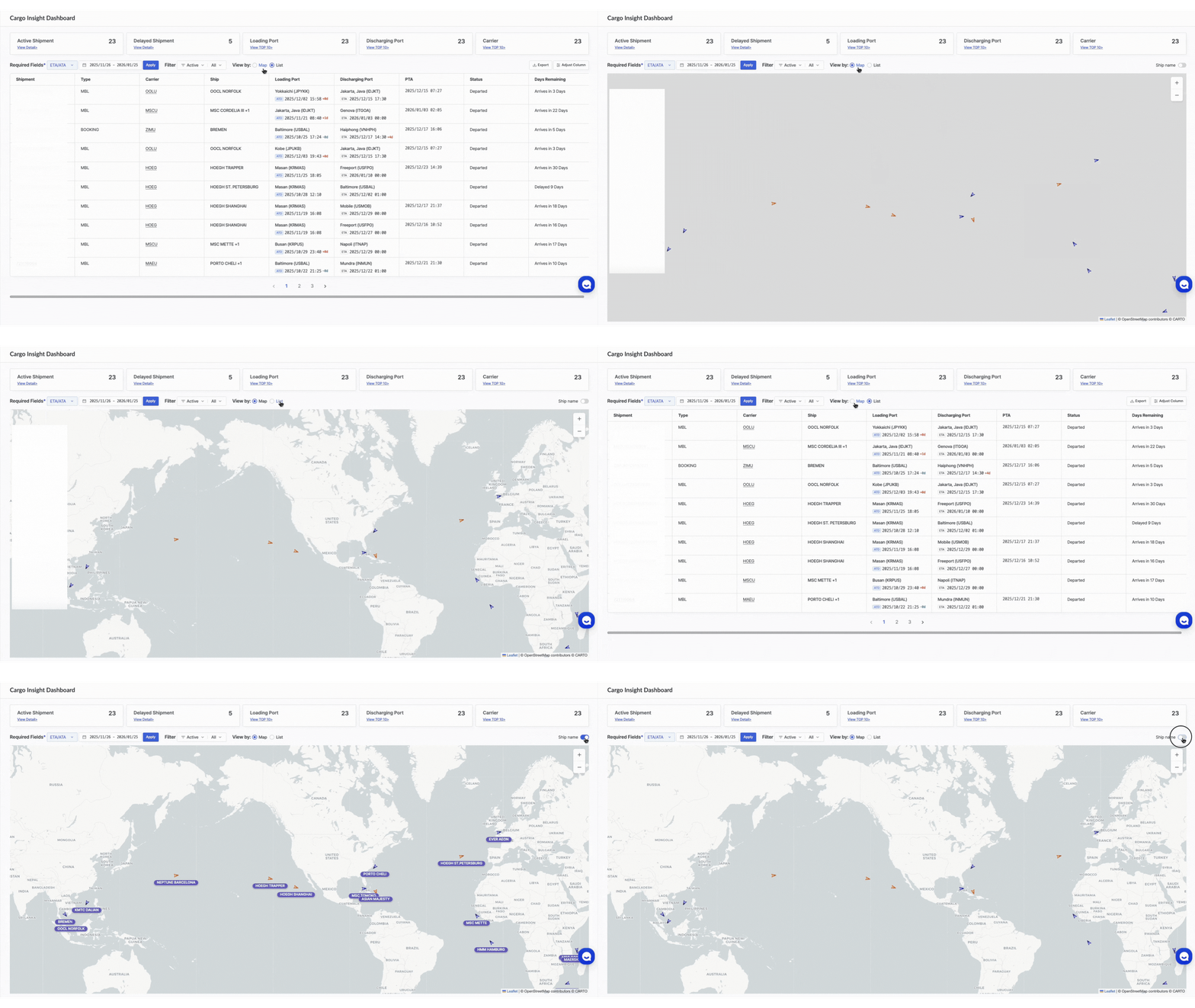
Control Your Data
Now you can toggle seamlessly between List Mode for deep operational details (timestamps, POL/POD) and Map Mode for a global overview of vessels and your shipments
We’ve integrated live AIS data directly into your container tracking dashboard. You can now can visualize cargo movement in real time and optionally display ship names to easily identify vessels.
Need to share status with stakeholders? Export your specific filtered view to Excel with a single click.
Tailor your workspace. Drag, drop, and toggle data columns to see only the metrics that drive your operations.
Advanced filtering is now integrated to streamline your focus. You can dynamically filter by ship, delay status, carrier, or port to instantly see relevant data across all views.
Toggle ship names on or off in the map view. When enabled, each vessel icon displays the vessel’s name for easier identification. When disabled, the map shows only vessel markers for a cleaner, less cluttered view.’
Release Notes
- Cargo Insight Dashboard
Major functional overhaul for managing Active and Delayed shipments. - Login Fix
Resolved indefinite loading issue after using the "Forgot Password" feature. - Ship Insight Fix
Fixed an issue where Class B vessel markers did not appear on the map when included in the vessel list. - OPS Admin
Updated browser back-button behavior to return correctly to the Workspace main page. - Simulator Vessel
Updated CII Overview to display GFI, GHGI, and EST Credits. Added new chart for IMO GHG Fuel Intensity Standard.


.png)


